
As photographers, we don’t have to explain ourselves, our images do that for us. But whilst they will often tell a story, they don’t always tell our story, the story of how and why we took a certain picture. Sometimes, it is simply nice to be able to show other people the creative and technical thought processes that brought you to that final image.
There is a very good, easy way that we can do that, by vlogging. Now, I am sure some of you are about to stop reading this right now so bear with me a moment. Vlogging doesn’t have to be about becoming Insta-famous, It doesn’t have to be about making significant sums of money on YouTube. It can be much more personal, much more oriented to your family and friends circle. It can also be a personal aid memoire enabling you to recollect why you used a certain composition or technique during a shoot.
Today we are going to have a look at how to document your photographic process, the equipment you need and some of the techniques to make an interesting vlog.
You Don’t Need Much Gear
If one of the hurdles holding you back from making a vlog is the thought of carrying extra gear, worry not, you are already carrying the perfect vlogging camera, your smartphone. Vlogs, by their very nature, are not meant to be videos with high production values, they are meant to come across as spontaneous interactions with your audience.
For the most part you will use the front camera on your smartphone which are generally not quite as good as the main ones. That means, try to vlog in good light as the image might be a little mushy in low light.
Audio recording on phones is excellent these days, even in windy conditions. However if you do want a bump in quality there are some amazing and easy to set up wireless mics out there that can connect easily to your phone.

If you want to step up the vlog quality a little then going for an action camera or even a DJI Pocket 3 is a good way to go. I use the Pocket 3 almost exclusively when shooting my videos for YouTube and combined with a DJI Mic 2, the whole system is seamless. Switch on the camera, switch on the mic and you are ready to go. You don’t have to spend a fortune to get a decent vlogging kit.
Getting Started – Overcoming The Fear
I will be honest, when I first started making photography videos, I was terrified, many of you will be too. The thought of standing in front of a camera in a public environment sent my anxiety levels through the roof. Even now, I don’t sleep well the night before shooting.
If you are anxious about appearing in front of the camera, why not start at home. In the sanctuary of your own house you can vlog about an editing technique or particular piece of software. When you are anxious about filming it can be very hard to remember what you wanted to say and even to get those words out.
In the comfort of your own home no one will be watching you, you will be relaxed and much less afraid of making mistakes. It’s the potential for making mistakes that is one of our biggest fears when vlogging, but here’s the thing. Everyone will make mistakes and make them often, even the very best YouTubers or even TV presenters. Mistakes are why we have editing – more on that in a while.

Sounding Natural On Camera
A vlog is generally unscripted, however it will work much better if you have an outline of what you want to say. Let’s go make your first vlog in the sanctity of your own home. You are vlogging about Lightroom and the particular way you edited one of your images. You know how that image was edited and you also know the creative thought processes that led to the edit.
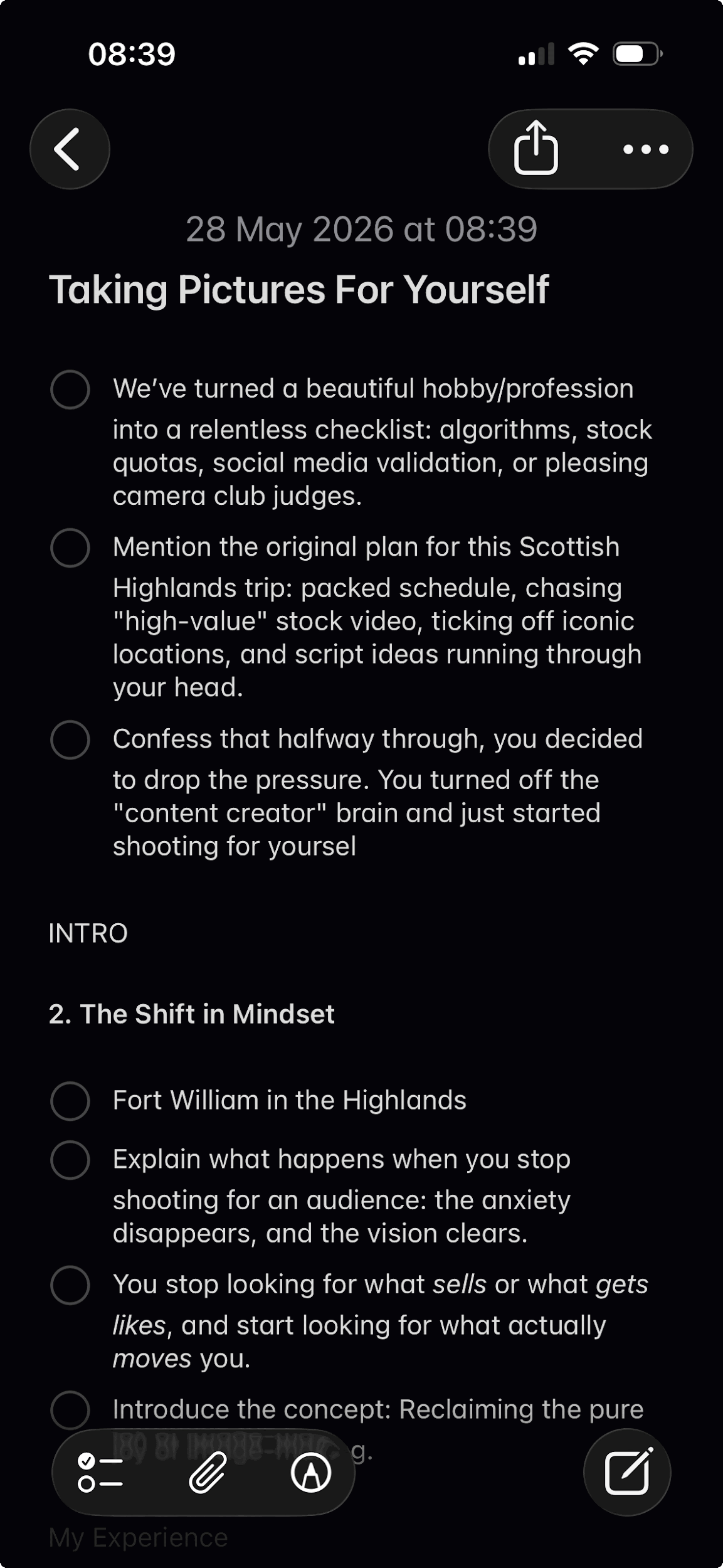
Write down those steps as bullet point headlines. Personally I use Apple Notes on my iPhone. I will look down at the bullet point then ad lib what I want to say about it. Start with a brief introduction – of yourself if you are new to it and then what you want to talk about. The first 30 seconds of your vlog are called the hook and they are used to engage potential viewers to continue watching you, so choose your words carefully and speak confidently.
When you speak to the camera simply pretend you are speaking to a friend or peer. Look down the lens and speak to an imaginary person behind the camera. As a photographer you will be naturally passionate about the subject you are conveying however as you speak you will make mistakes.
The most important tip I can give you when making mistakes is not to cut the camera, keep it rolling. The process of stopping the recording can take you out of the moment. Instead just let the camera continue and roll back a sentence or two and restart. Try to keep yourself in a similar position as you restart as it will make the edit look less jarring. However you can easily cut those mistakes out in the edit. Talking of which.
Editing Your Vlog
Again we are not trying to recreate the Lord of the Rings trilogy, we are simply try to make what we said in our vlog seamless. We don’t need fancy software to do it either, simple free editing suites are fine. Play your vlog through and when you find a point where you made a mistake, simply cut it out. Now that leaves us with a slightly jarring edit so what we can do is just zoom in on ourselves, perhaps 25% after the cut. This gives us the illusion of using a second camera and makes the edit look much more natural.
Most editing software also has something like a flow transition. This is a special transition that will cover up a hard cut making it look much less obvious.
Edit out the fluff and irrelevant content, and keep it entirely focussed on what you wanted to say about your photography.

What To Talk About
Once you have built your confidence a little, it will be time to create a full on vlog about your photography. But what do you say? Let’s assume you are photographing a seascape. Don’t simply say that you want to take a pretty picture of this beach. Instead introduce the location, discuss the time of day, the light and what you want to achieve. Tell them you want to get an ethereal looking water.
Explain why to achieve that look you are using long exposure with the camera on a tripod and neutral density filters. Talk about the ND filter you are using and why you chose it. In short you are talking like a mentor to an imaginary photographer who is along with you for the shoot. You are giving others your experience.

Who Will See Your Vlog
That’s entirely up to you. It might be your photographer friends and peers at a local camera club, it might be to a much wider audience on social media. Most vlogs these days are shot in vertical format rather than landscape. That can be difficult to adjust to at first, we are used to seeing films and tv in landscape.
However, vlogging is about your audience seeing you. You are conveying your photographic thought to the viewer, the surroundings or environment you are shooting is irrelevant. If you want you can shoot some vertical BRoll, this is incidental footage of your surroundings cut into your camera vlog to add a little interest. It can also be a useful way to cover up edits.
As mentioned at the top, vlogging doesn’t have to be about promoting yourself to a worldwide audience, It can be as simple as a memory aid for a particular photographic technique you are using or a teaching aid to your photographic peers. It’s not for everyone but personally I have found putting my photographic thoughts onto video both cathartic and also inspiring.


